
A few months ago I switched roles at Google Cloud. I am now an Outcome Customer Engineer — a forward engineering deployment where I work directly with customers to help them actually use Google Cloud in the best way. Less slides, more code. Less theory, more production.
In my last LinkedIn post I promised I would report back on things I encounter in the field that could be valuable to others. Well, here is the first one.
I was running a workshop at the Google Cloud office, helping a customer design their multi-agent system architecture, when one of their developers tapped me on the shoulder during a break. “Hey, btw, can you have a look at this agent I built?” What started as a casual five-minute favor turned into one of the best lessons I have had about using the right tool for the right job. Their agent was burning through 17x more tokens than necessary, and the fix was not what anyone expected.
The Setup: Give an Agent Tools and Watch What Happens
If you are building AI agents, you have probably done what this developer did. You give your agent a set of tools — web search, content extraction, maybe a calculator — and you let the model decide when and how to use them. It is a beautiful pattern. The model reasons about the user question, picks the right tool, reads the result, and either answers or searches again.
This is the magic of agentic AI. The model is not just generating text, it is making decisions. And for the most part, it works brilliantly.
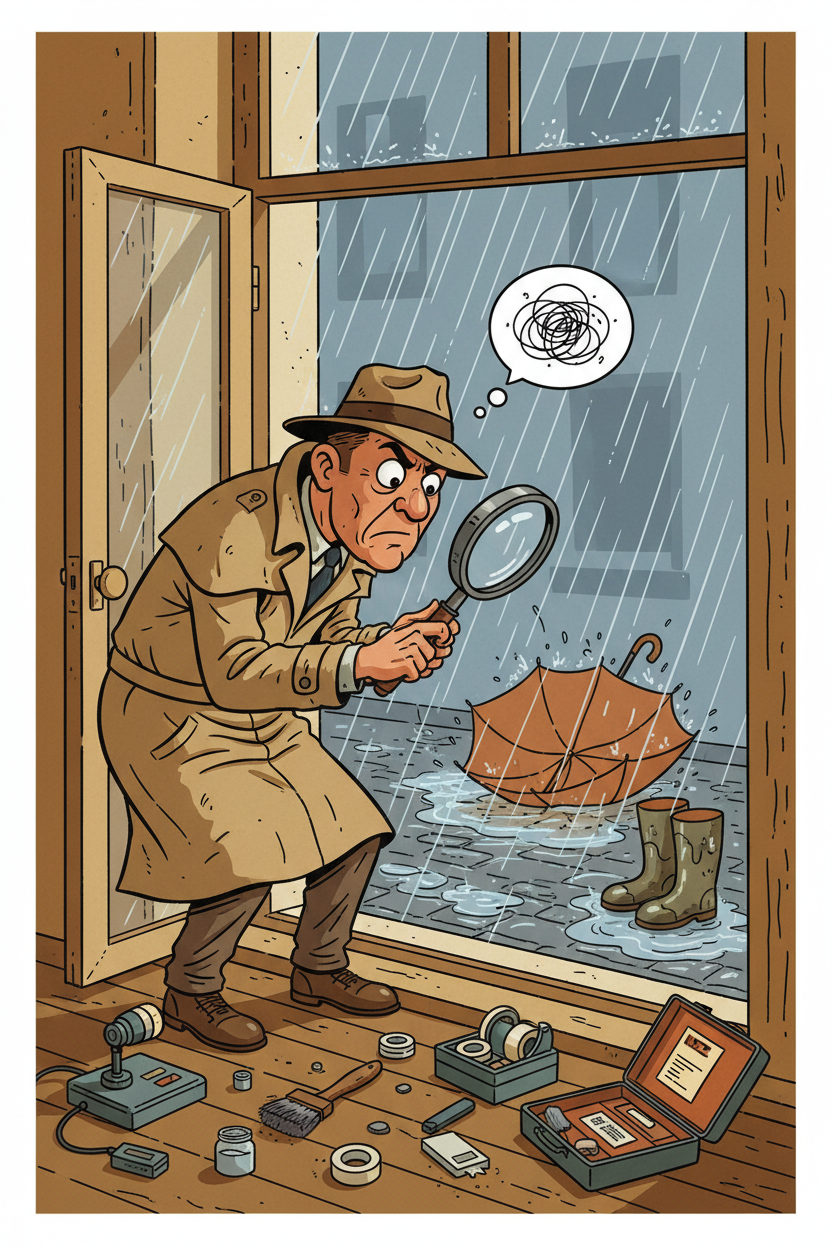
But here is the thing nobody warns you about: a very smart model with access to search tools is like handing a detective a magnifying glass and telling them to find out if it is raining outside. They will not just look out the window. They will dust for fingerprints on the windowsill, interview the neighbors, analyze weather satellite data, and file a 30-page report.
I looked at the developer and said: “You are holding it wrong.”
The Incident: 15 Searches for a Simple Question
The developer had built a solid agent. Clean code, good tool definitions, proper error handling. They had given it web search and content extraction tools and pointed a powerful reasoning model at it. A user had asked a pretty normal question — researching a specific consumer discount program, eligibility rules, and whether certain exceptions apply. A good question. A researchy question. But not a doctoral thesis.
My first question was “can I see the logs?” Blank stare. There were no logs. No observability at all — the agent was running blind. So we improvised. I had them run a SQL query against the ADK events table to extract all the metadata: which tools were called, when, and how many tokens each generation consumed. Here is what we found:
| Time | What Happened |
|---|---|
| 0s | Received the question, started thinking |
| 3s | Web search #1 — broad query |
| 8s | Web search #2 — slightly different angle |
| 12s | Web search #3 — tried alternative terminology |
| 15s | Web search #4 — yet another variation |
| 19s | Web search #5 — still not satisfied |
| 22s | Extracted content from a relevant page |
| 25s | Web search #6 — tried a different approach entirely |
| 29s | Web search #7 — checking a partner site |
| 33s | Extracted content from another page |
| 38s | Web search #8 — went to forums looking for community answers |
| 41s | Web search #9 — quoted exact search |
| 45s | Extracted content from the official source |
| 48s | Web search #10 — broadened the query again |
| 51s | Extracted content from another official page |
| 55s | Web search #11 — one more try, just to be sure |
| 66s | Finally answered the question |
11 web searches. 4 page extractions. 15 tool calls. 66 seconds. For a question that, honestly, could have been answered well after 3-4 searches.
The developer looked at me: “Yeah, it does that sometimes. But it gives great answers!” They were not wrong — the answers were great. But the token bill? Not so much.
Intelligence vs Competence
I always say there is a difference between intelligence and competence. Intelligence is the ability to understand, reason, and solve problems. Competence is knowing when to stop solving and start delivering. I explained this to the developer while we stared at the logs together.
Their model was incredibly intelligent. It understood the question deeply. It was methodical in its approach — each search query was a logical progression from the last. It tried different terms, forum discussions, official sources, partner sites. It was extremely competent at searching.
But it was not human.
A human would have done 2-3 searches, read the results, said “okay, this is what I know, there are some gray areas, here is my best answer” and moved on. The model could not do that because it was chasing a definitive answer that probably does not exist on the internet in the form it wanted. It did not have the human instinct of “good enough.”
The developer nodded slowly. “So it is too thorough?”
“No,” I said. “It is too thorough for the price you are paying.” There is a difference.
The Token Bill: When Intelligence Gets Expensive
I walked the developer through the token math. They were running this on a reasoning model — a big, powerful, expensive one. Every time the model searched and got results back, those results were added to its context. So the token count grew with every call:
| LLM Call | Input Tokens | What Happened |
|---|---|---|
| 1 | 3,329 | First search |
| 2 | 6,306 | Results from search 1 in context |
| 3 | 7,387 | Growing… |
| 5 | 9,713 | Still growing… |
| 7 | 13,821 | Getting expensive |
| 10 | 22,527 | Really expensive now |
| 12 | 32,971 | Final answer |
~200,000 cumulative input tokens processed across all LLM generations. On the reasoning model, that cost roughly $0.255 for a single user question.
“$0.25 per question does not sound like much,” the developer said.
“How many users are you planning for?”
“Thousands. Eventually tens of thousands.”
I let that sink in.
The irony? If we had used a smaller, cheaper model for the research part, the total cost would have been around $0.02. That is a 17x difference for the same quality answer.
The Fix: You Would Not Use a Surgeon to Take Your Temperature
“So what do we do?” the developer asked.
The realization was simple: they were using the wrong model for the wrong job. The expensive reasoning model is brilliant at understanding user intent, synthesizing information, and crafting a thoughtful response. But using it to grind through 15 sequential web searches? That is like hiring a surgeon to take your temperature. They can do it. They will do it very thoroughly. But it is a waste of their talent and your money.
The solution comes from a pattern that many of us building agents are converging on: sub-agent delegation.
The Sub-Agent Pattern: Let the Right Model Do the Right Job
I grabbed the whiteboard and sketched it out.
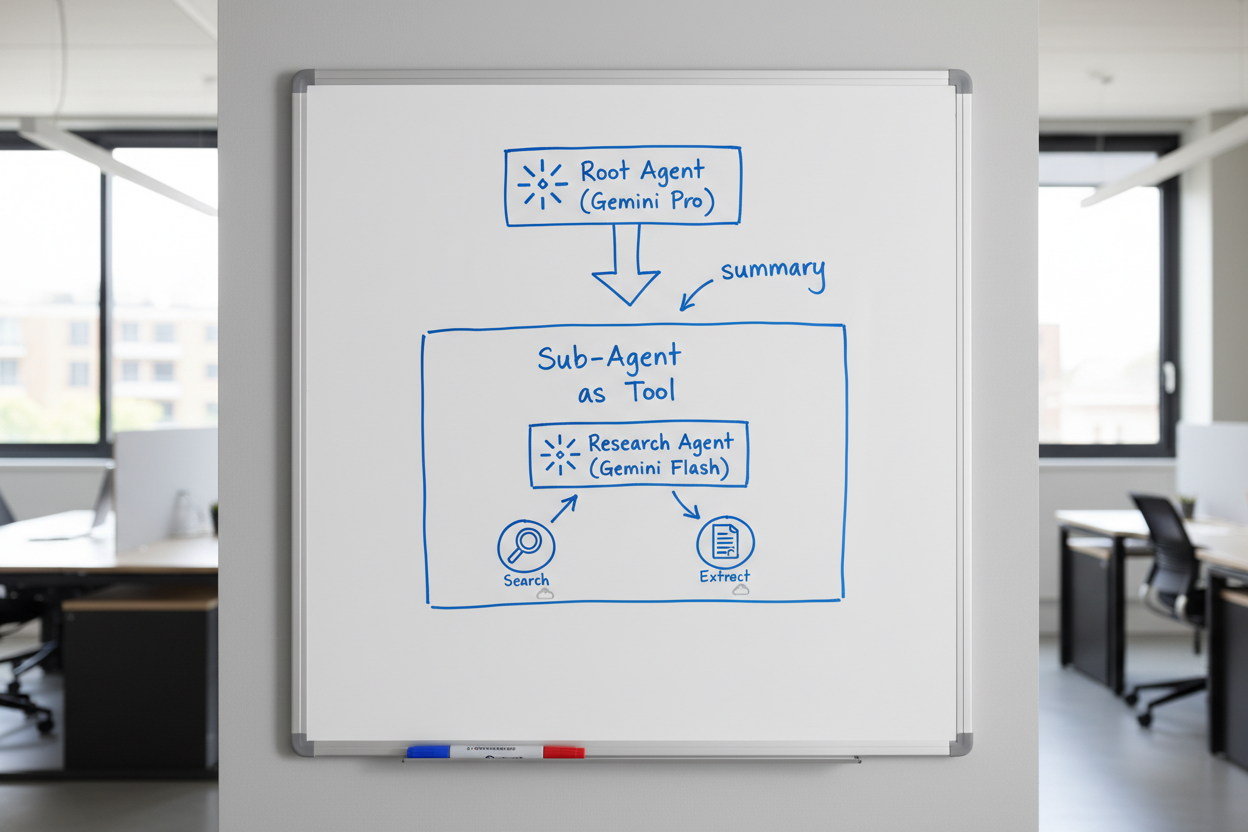
The idea follows ADK’s agent-as-tool pattern:
- Root agent (expensive reasoning model) receives the user question
- Root agent does 1-2 quick searches to understand the landscape
- Root agent recognizes “this needs deeper research” and delegates to a research sub-agent
- Research sub-agent (smaller, cheaper model — like Gemini Flash with thinking enabled) picks up from where the root agent left off
- Research sub-agent does the heavy lifting — multiple searches, page extractions, synthesizing
- Research sub-agent returns a concise summary back to the root agent
- Root agent crafts the final response from the summary
The critical detail: the root agent passes its initial findings to the sub-agent. It does not just say “go research this.” It says “I searched for X and Y, found these leads, but still need to understand Z. Go figure it out.” The sub-agent picks up from there — no duplicate work.
This is the same pattern you see in tools like Claude Code, where the main agent delegates to an Explore sub-agent for deep searches. It is proven and practical.
Why Flash With Thinking Is the Secret Weapon
This is what really sold the developer. Gemini Flash with thinking enabled is really good at research tasks. It can search, read, comprehend, and synthesize — and it reasons through the results to figure out what to look for next.
For research and comprehension — which is what web searching fundamentally is — you do not need the most expensive model. You need a model that is good at reading, understanding, and summarizing. Flash with thinking nails this.
The expensive reasoning model shines at the parts that actually need deep reasoning: understanding the user’s real intent, weighing nuance, and crafting a response that feels thoughtful and complete. Let it do what it is best at.
The Numbers: Same Output, Different Bill
| Before (Root Agent Searches) | After (Research Sub-Agent) | |
|---|---|---|
| Who does the searching | Expensive reasoning model | Flash with thinking |
| Context accumulation | Root agent (3K to 33K tokens) | Sub-agent (3K to 33K tokens) |
| Root agent sees | All 15 search results | One concise summary (~500 tokens) |
| Root agent LLM calls | ~12 generations with growing context | 2-3 with small context |
| Cost per question | ~$0.255 | ~$0.02-0.03 |
| Answer quality | Great | Great |
Same output quality. 10-17x cheaper. And the response is often faster too because Flash is quicker than the reasoning model.
The developer stared at the numbers for a moment. “And the answer quality is the same?”
“Run them side by side,” I said. “You will not be able to tell the difference.”
ADK Made This Easy
Here is the part that made the developer smile. I showed them how to implement this with Google Agent Development Kit (ADK). I have been building with ADK for about six months now and it is what I reach for on every agent project. The reason is simple: it handles the boring parts so you can focus on the interesting ones.
You define an agent, give it tools, set its model, write its system prompt, and register it as a sub-agent of the root agent. ADK handles the delegation, the context passing, the return flow — all of it. No custom orchestration code. No message queues between agents. No complex state management.
You focus on the things that actually matter — the prompts, the tool design, the delegation strategy — instead of plumbing.
Before we wrapped up, I helped the developer drop in OpenTelemetry for proper observability. Remember — we had to resort to SQL queries against the events table just to understand what the agent was doing. That is not sustainable. OTEL gave them actual traces, latency breakdowns, and token tracking out of the box. Immediate quality of life improvement.
And I left them with what I think is the most underappreciated truth about building agents: the real work starts after the agent is in use. Building the first version is the easy part. The hard part is the countless iterations that come afterwards, because you do not find the behaviors you need to correct until real people are using the agent with real questions. It is very hard to build a perfect agent from the start — unless you have been through this cycle before and know where the pitfalls are. That is why observability is not optional. You cannot fix what you cannot see.
What was supposed to be a “btw, can you look at this” turned into a 30-minute whiteboard session and a complete rethink of how their agent handled research. I love those moments.
Takeaways
If you are building AI agents with tool access:
- Watch your token bills. A model that is “being thorough” might actually be burning money on unnecessary work.
- Intelligence is not competence. Your model can be incredibly smart and still not know when to stop. That is your job as the architect.
- Use the right model for the right task. Expensive reasoning models should reason. Cheaper models can do the research legwork.
- Sub-agent delegation is the pattern. Let the root agent be the strategist. Let sub-agents be the workers.
- Flash with thinking is underrated. For research and comprehension tasks, it is way more capable than the price suggests.
- Frameworks matter. ADK makes multi-agent patterns straightforward to implement. Stop building plumbing and start building products.
Or to put it more simply: if your agent is making 15 web searches for a straightforward question, you are holding it wrong. And if you need someone to tell you that — well, sometimes the best insights come from a casual “btw, can you have a look at this?”